

Surf7 Simple Catalog
Browse products and enquire by WhatsApp, email, phone or form. A catalog plugin with no cart and no checkout.

A clean, focused catalog plugin for WordPress
Surf7 Simple Catalog is a clean, focused catalog plugin for WordPress built by Surf7.net.
If you sell by enquiry, quotation or conversation rather than checkout — auto parts, machinery, furniture, jewellery, wholesale, custom manufacturing, made-to-order, property, vehicles, boats — this plugin is built for you. There is no cart, no checkout, no payment and no stock, by design.
Core features
Catalog post type
scat_product— REST-enabled, revisions, featured image, gallery, custom REST endpoints,WP_Queryfriendly.Three taxonomies
hierarchical Categories (thumbnail image, long description, display order, hide-from-filters), flat Labels (colour chips, display order), and Brands (logo, website URL, exactly one brand per product, with an A–Z brand index at
/brand/).Product meta
from a single typed schema: gallery, price, a price range derived from the product's own options, price mode (show / on request / hide), availability (Available, Reserved, Sold, Coming soon) with configurable text and colour per status, featured star with an AJAX toggle, a specifications table with paste-from-spreadsheet, files and downloads, video URL, stock note, custom badge text, and per-product enquiry overrides.
Five enquiry channels
WhatsApp, Email, Phone, Telegram and a custom link. Email either opens the visitor's mail client or uses the built-in enquiry form. One message template drives every channel, with placeholders including
{product_name},{product_code},{product_url},{price},{selected_options},{visitor_message}and{site_name}. Optional enquiry log in its own table, with CSV export, BCC copies and an auto-reply to the visitor carrying a configurable Reply-To address.Spam guard
hidden honeypot field, three-second time trap, hourly per-IP rate limit, and optional Google reCAPTCHA v3 or Cloudflare Turnstile.
Options engine
up to 10 global option sets, 100 values each, in five display types — dropdown, swatch, checkbox, package and free text. Per-value price adjustment or absolute price, and per-product groups that update the displayed price without a reload. Options are informational and enquiry-affecting only; they never create variations or touch stock.
Front-end templates
every one overridable from your theme's
simple-catalog/folder. Archive as grid, list or masonry; category, label and brand archives; product page with gallery, lightbox, breadcrumbs, tabs and related products; filters for category, label, availability, price range and sort order; classic pagination or an AJAX Load more button. Responsive and RTL-aware, and verified to render with full site chrome on block themes as well as classic ones.Six blocks and seven shortcodes
plus a shortcode generator under Catalog → Settings that builds a shortcode from real controls and copies it to the clipboard.
Admin UX
drag-to-reorder gallery via
wp.media, quick edit, bulk actions (draft, publish, sold, available, featured, duplicate), CSV import and export, and a JSON full-site export/import for staging → production deployments.WooCommerce migration
bring an existing WooCommerce catalogue across in place. Non-destructive, re-runnable, preserves category hierarchy, brands, term images and every affiliate link.
External shop buttons
per-product links to Shopee, Lazada, Amazon and anywhere else, each with its own colours and inline SVG icon.
REST API
at
wp-json/simple-catalog/v1/—products,enquiry,taxonomy-index,nonce.WP-CLI
wp simple-catalog activate|deactivate|flush|version|purge-enquiries|export|import|export-csv-products|import-csv-products|caps|regenerate-thumbs.Security
map_meta_capcapabilities granted to administrators and editors, a nonce and a capability check on every write path, REST permission callbacks, a sanitise callback on every registered meta key, escaping at the point of output, and prepared statements on every custom-table query.SEO friendly
configurable permalink bases, Product JSON-LD, BreadcrumbList, ItemList on archives, and Open Graph / Twitter cards that step aside when Yoast, Rank Math or SEOPress is active.
Performance
CSS and JS enqueued only on catalogue pages, five configurable image sizes, lazy loading with an optional blur-up placeholder, CSS custom properties instead of repeated inline styles, and an enquiry nonce that can be fetched at interaction time so full-page caching cannot serve a stale one.
Internationalisation
full
surf7-simple-catalogtext domain with a bundled.pot, an RTL stylesheet, and default button labels that re-translate when the site's locale changes.
Screenshots

A product page: gallery with thumbnails, breadcrumbs, availability badge with your own wording, buttons through to the marketplaces that stock it, and a share row.
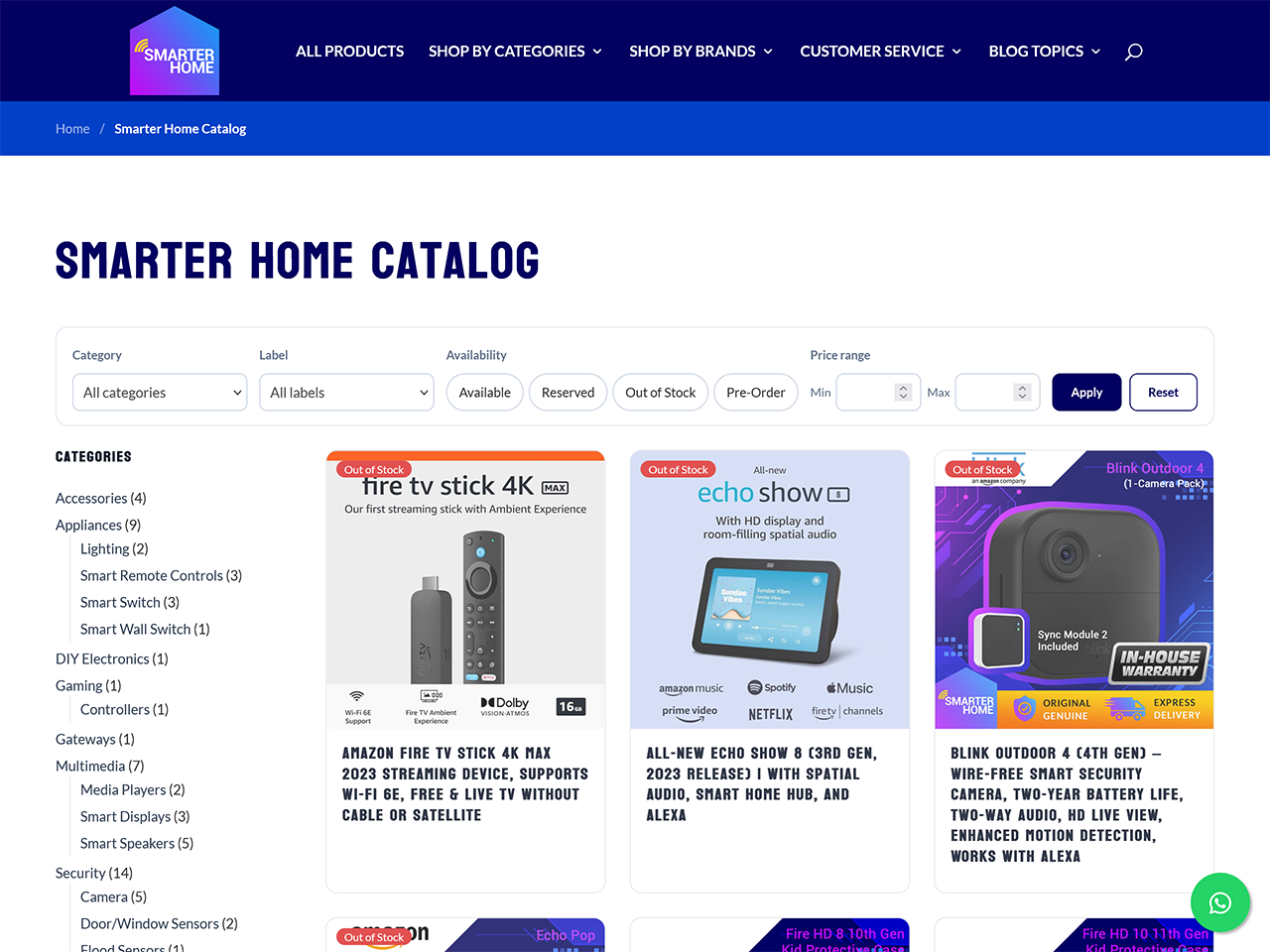
The catalogue, with filters for category, label, availability and price range, a category sidebar, and availability badges on every card.
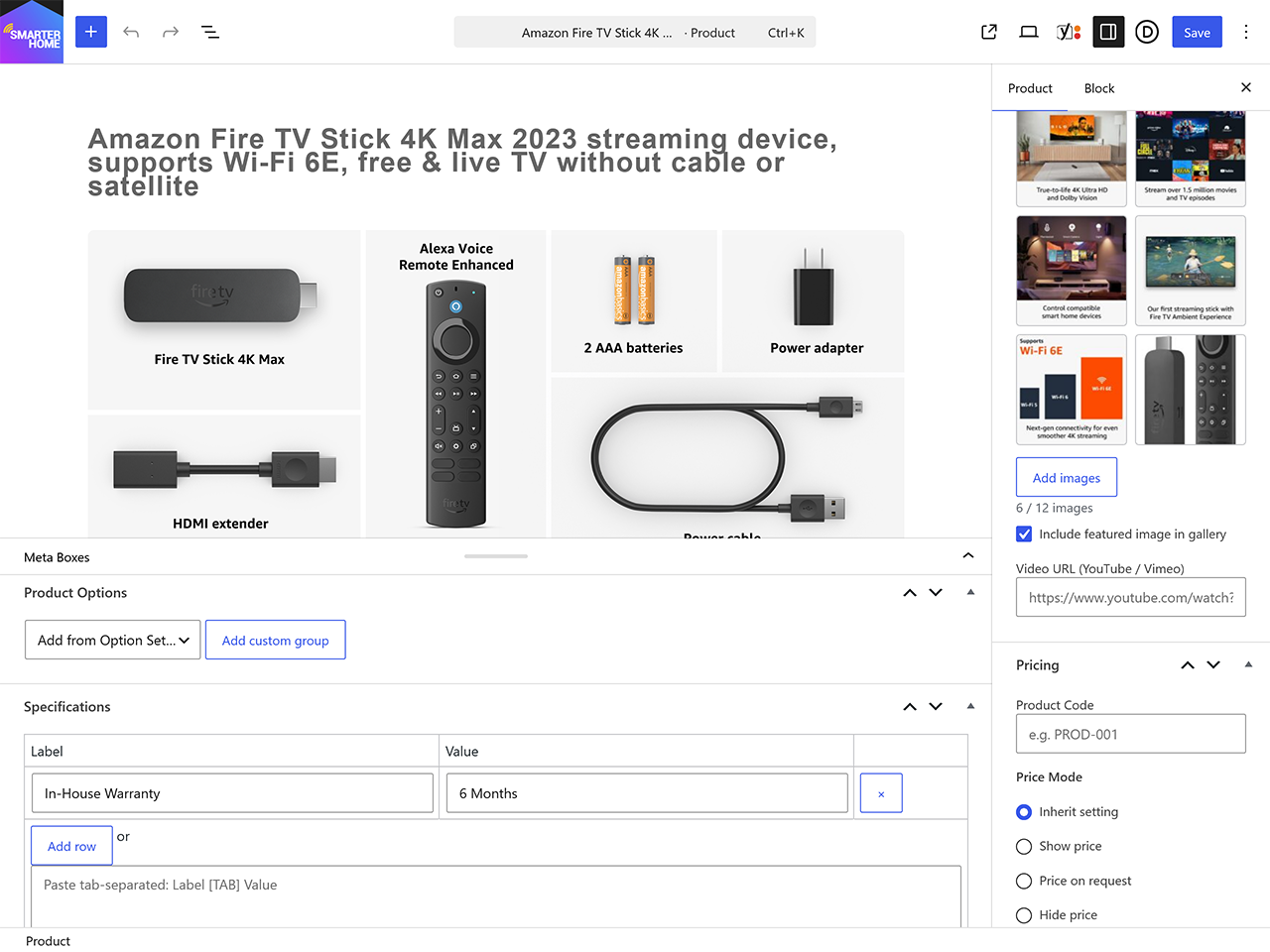
The product editor — gallery with drag-to-reorder, product options, a specifications table you can paste straight from a spreadsheet, and price modes including "price on request".
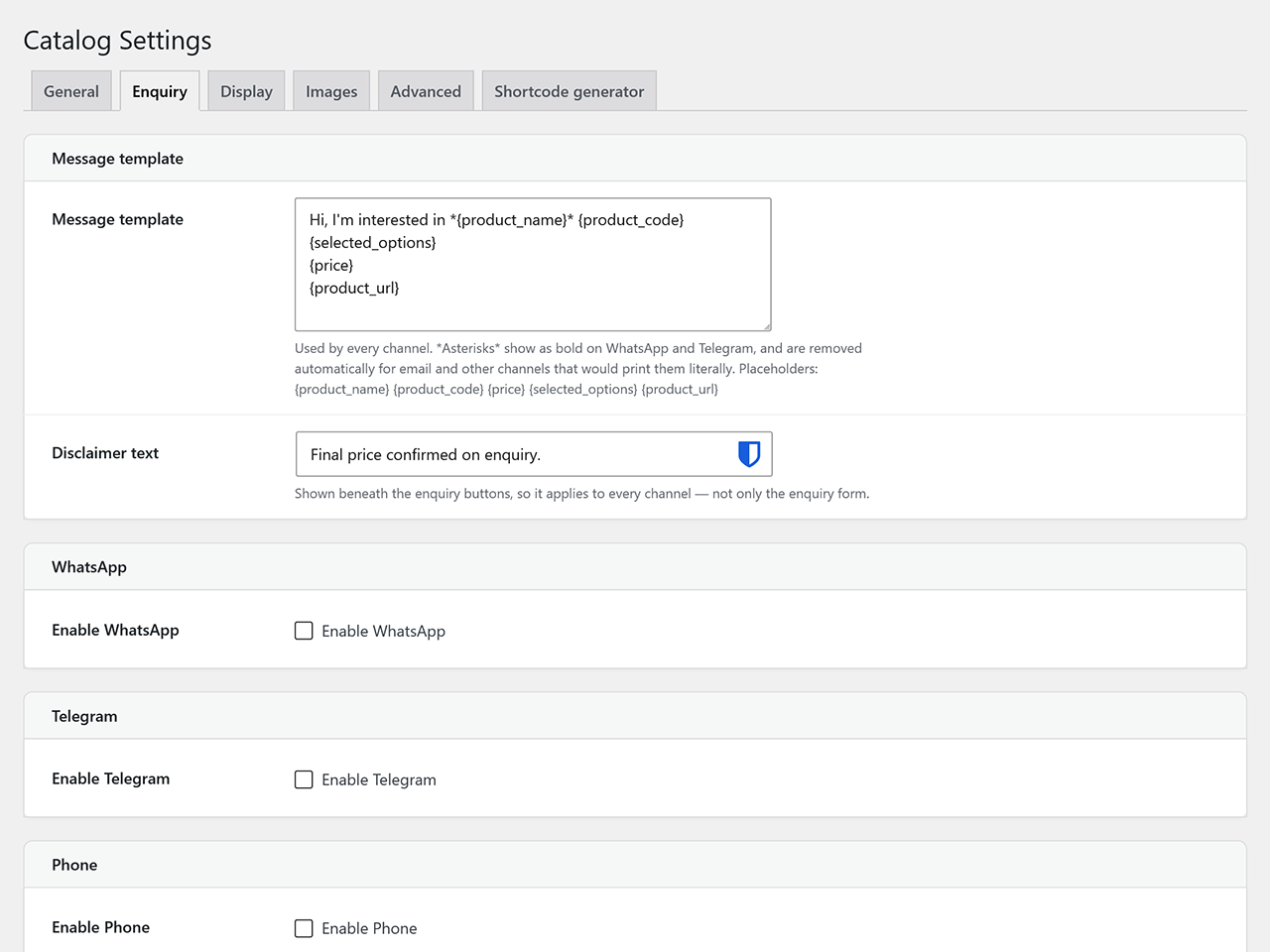
Catalog → Settings: one message template drives WhatsApp, Telegram, phone, email and the enquiry form, so the wording is written once.
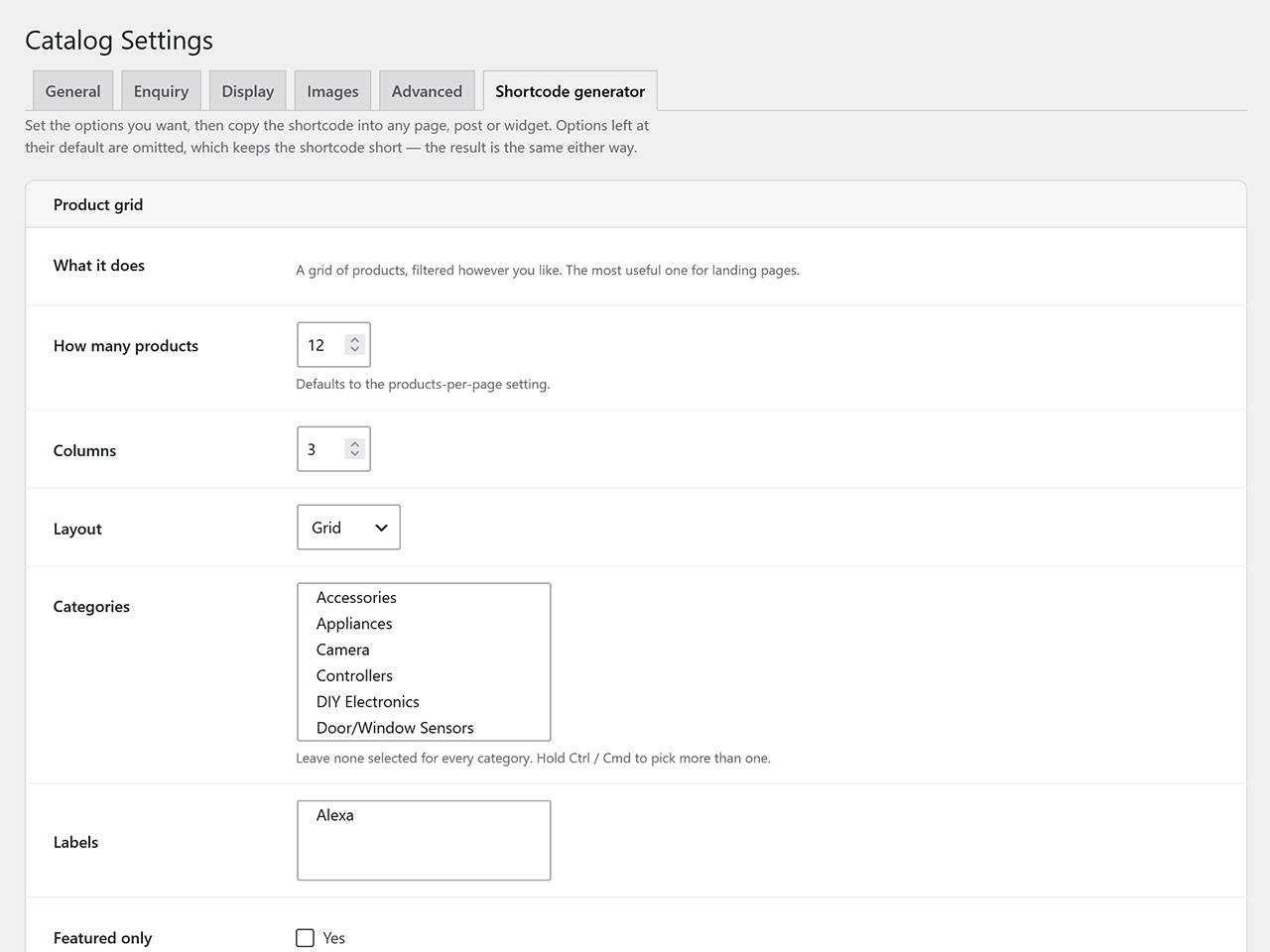
The shortcode generator. Set the options, copy the shortcode. Anything left at its default is left out, so what you paste stays readable.
Installation
Step 1. Upload the
surf7-simple-catalogfolder to/wp-content/plugins/.Step 2. Activate the plugin through the Plugins screen in WordPress.
Step 3. Walk through the four-step onboarding wizard (slugs, currency, channels, display, sample products) or go straight to Catalog → Settings.
Step 4. Start creating products via Catalog → Add New.
Requirements
- Version
- 1.64.1
- Requires at least
- WordPress 6.4
- Tested up to
- WordPress 7.1
- Requires PHP
- 8.1
- License
- GPLv2 or later
Frequently Asked Questions
Does Simple Catalog add a cart or checkout?
No. Simple Catalog is catalog-only by design. Visitors browse and then contact you. If you need a cart and checkout, use WooCommerce.
Can I import products from a CSV?
Yes. Go to Catalog → Import / Export. Download the template CSV, fill it in and upload it — there is a dry-run mode that validates everything and writes nothing. Ticking the sideload option downloads any remote images into your media library.
Can I move a WooCommerce catalogue across?
Yes, from the same Import / Export screen. WooCommerce products are read and never modified, and the migration is re-runnable: a second pass updates what it created rather than duplicating it.
Does it work with my theme?
Almost certainly. The templates are minimal semantic HTML driven by CSS custom properties you can override, and every one can be replaced by copying it from wp-content/plugins/surf7-simple-catalog/templates/ to wp-content/themes/{your-theme}/simple-catalog/. Block themes and classic themes are both supported.
Does it support Multisite?
Partly. The uninstaller and the WooCommerce importer loop every site on the network, so uninstalling cleans up properly. Multisite as a whole has not been formally tested — treat it as unsupported for now and test on staging first.
Where is the full changelog?
CHANGELOG.md in the plugin folder carries the complete history, including what was verified on a live site for each release.
Trusted by clients across Malaysia and beyond.


It was an excellent service I received from Surf7 Internet Consulting company. Mr Ben is a highly professional IT person which has given me clear advice and solution for my website design requirement. I would highly recommend him to those in need of website service. Keep up your good work Mr Ben and Good luck.


Featured Clients



















Download Surf7 Simple Catalog
Browse products and enquire by WhatsApp, email, phone or form. A catalog plugin with no cart and no checkout.